Bold, italic and emphasis
This page needs a recent browser (with SharedArrayBuffer support). Please update Chrome, Edge, Firefox or Safari to the latest version.
Styling words
- To change how words look, you wrap them in a command:
\textbf{bold} and \textit{italic} and \texttt{typewriter}
\textbf= bold,\textit= italic,\texttt=code-like.
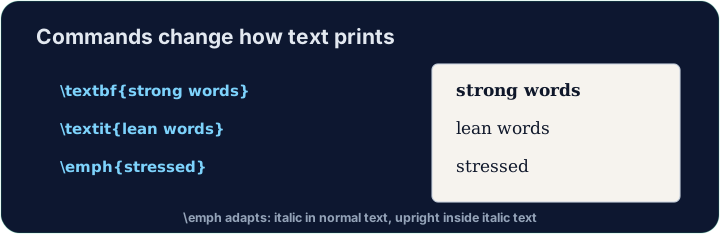
Emphasis the smart way
\emph{...}means "emphasise this" — usually italic, but it flips smartly inside italic text.- Prefer
\emphfor meaning, and\textitwhen you specifically want italic shapes.
A note on quotes and dashes
- Type opening quotes with two backticks and closing with two apostrophes:
- A dash in a range is
--(en-dash, like 10--20); a pause in a sentence is---(em-dash). - These little touches are what make LaTeX documents look professional.
Common mistakes
\textbf{...}is bold,\textit{...}italic,\emph{...}emphasis.- Every opening brace
{needs a matching}.
Make the word important bold with \textbf{...}, and the word gently italic with \textit{...}. Then Run to see the styles.
Click Run to compile and preview the PDF.
Use the right tool for the job. Mark really with \emph{...} (emphasis that flips smartly), and show the file name report.tex in \texttt{...} (typewriter font).
Click Run to compile and preview the PDF.