Wildcards
This page needs a recent browser (with SharedArrayBuffer support). Please update Chrome, Edge, Firefox or Safari to the latest version.
One command, many files
- A wildcard is a symbol that stands for "anything". The most common is
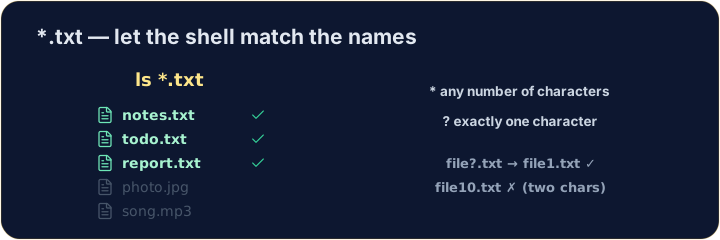
*. *.txtmeans "every name ending in.txt". The shell fills in the matches for you:
ls *.txt
The two main wildcards
*matches any number of characters (even none).?matches exactly one character.
ls file?.txt
- So
file?.txtmatchesfile1.txtandfileA.txt, but notfile10.txt.
Be careful with delete
- Wildcards are powerful — and that cuts both ways:
rm *.txt
- That deletes every
.txtfile at once. Runls *.txtfirst to see exactly what will go.
Common mistakes
*matches any text and?matches one character.- Quote a name that has spaces, or the shell splits it into two.
List only the .txt files using the * wildcard: ls *.txt.
Delete all the .txt files at once with rm *.txt. The check lists what is left.