Set up your computer
This page needs a recent browser (with SharedArrayBuffer support). Please update Chrome, Edge, Firefox or Safari to the latest version.
Run Python on your own computer
- This playground is perfect for learning — but it lives in your browser.
- For your own projects, it helps to set Python up on your computer.
- It takes about 10 minutes, and you only do it once.
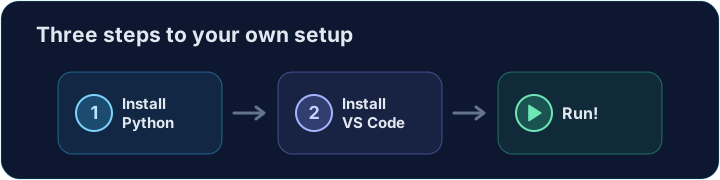
Step 1 — Install Python
- Go to python.org/downloads and download the latest Python 3.
- Run the installer.
- On Windows, tick "Add Python to PATH" before you click Install — this matters.

Step 2 — Install VS Code
- VS Code (Visual Studio Code) is a free, popular code editor from Microsoft.
- Download it from code.visualstudio.com and install it.
- This is where you will write and run your code.

Step 3 — Add the Python extension
- Open VS Code and click the Extensions icon on the left.
- Search for Python (the one by Microsoft) and click Install.
- It adds run buttons, colours, and helpful hints for Python.
Step 4 — Check it worked
- Open a terminal (in VS Code: Terminal → New Terminal) and type:
python --version
- You should see something like
Python 3.12.0. If you do, you are ready.
Step 5 — Run your first file
- In VS Code, make a new file called
hello.pyand type:
print("Hello from my own computer!")
- Press the ▶ Run button (top right), or type
python hello.pyin the terminal. - You just ran Python outside the browser.