Updating rows
Handout
This page needs a recent browser (with SharedArrayBuffer support). Please update Chrome, Edge, Firefox or Safari to the latest version.
Changing rows with UPDATE
UPDATE changes values in the rows that match a WHERE condition:
UPDATE product SET price = 0.95 WHERE code = 'P02';
SET lists the columns to change. You can change several at once, separated by commas: SET price = 0.95, in_stock = 150.
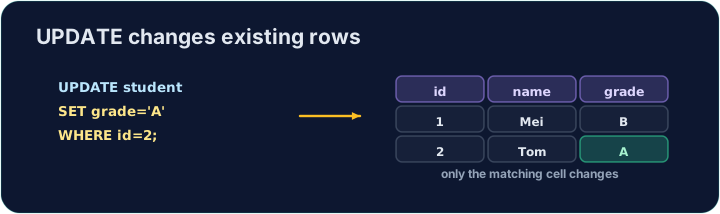
Always use WHERE
The WHERE decides which rows change. Leave it out and every row is updated:
UPDATE product SET price = 0; -- changes ALL products!
So nearly every UPDATE should have a WHERE. The checker runs your UPDATE, then reads the table back to confirm only the right row changed.
Common mistakes
UPDATEwithout aWHEREchanges every row — always add theWHERE.- Set several columns at once with commas.
Change the price of the product with code 'P02' to 0.95. Be sure to use a WHERE so only that product changes.
Click Run to see the output here.
A delivery arrived, so every product gains 10 in stock. Update with an expression — SET in_stock = in_stock + 10 — and no WHERE, so it applies to all rows.
Click Run to see the output here.