Bold, italic and line breaks
Handout
This page needs a recent browser (with SharedArrayBuffer support). Please update Chrome, Edge, Firefox or Safari to the latest version.
Make words stand out
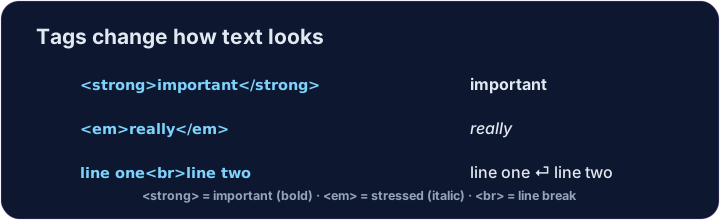
<strong>makes text bold — for important words.<em>makes text italic — for a gentle emphasis.- Wrap only the word you want:
very <strong>important</strong> news.
<p>This cake is <strong>delicious</strong> and still <em>warm</em>.</p>
Line breaks
- Sometimes you want a new line inside one paragraph.
- Use
<br>— a single tag with no closing tag and nothing inside it. - It is like pressing Enter once.
<p>Roses are red<br>Violets are blue</p>
Common mistakes
<br>makes a line break and has no closing tag.- Use
<strong>and<em>for meaning, not just bold or italic looks.
Now you try
- Wrap a word to make it bold, and add a line break.
- Press ▶ after each change to see what happens.
Make the word fresh bold. Wrap just that word in <strong> … </strong>.
Add a <br> between the two lines so they show one above the other.