Tables
Handout
This page needs a recent browser (with SharedArrayBuffer support). Please update Chrome, Edge, Firefox or Safari to the latest version.
Tables
- A table shows information in rows and columns.
- Start with
<table>. - Each row is a
<tr>(table row).
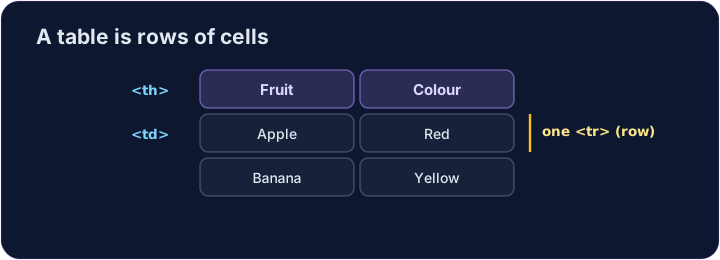
Cells
- Inside each row, each cell is a
<td>(table data). - For a heading cell, like a column title, use
<th>— it shows in bold. - Give every row the same number of cells.
<table>
  <tr><th>Fruit</th><th>Colour</th></tr>
  <tr><td>Apple</td><td>Red</td></tr>
  <tr><td>Banana</td><td>Yellow</td></tr>
</table>
Common mistakes
- Cells (
<td>) go inside rows (<tr>). - Use
<th>for header cells.
Now you try
- A table is rows (
<tr>) holding cells (<td>or<th>). - Build a small table, then add a header cell.
Make a table with two rows. Each row is a <tr>, and put a <td> cell inside each row.
Add a header cell so the column has a title. Use <th> instead of <td> for it.