Headings and paragraphs
Handout
This page needs a recent browser (with SharedArrayBuffer support). Please update Chrome, Edge, Firefox or Safari to the latest version.
Headings
- A heading is a title on your page.
- Use
<h1>for the biggest, most important heading. - Like all HTML, it comes in a pair:
<h1>...</h1>.
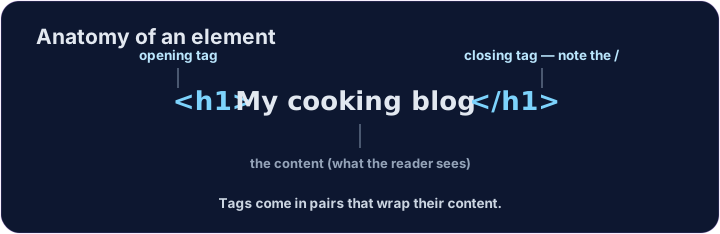
<h1>My cooking blog</h1>
<p>Welcome! Here are my favourite recipes.</p>
Six sizes
- There are six headings, from
<h1>down to<h6>. <h1>is the largest;<h6>is the smallest.- Use one
<h1>for the page's main title, then smaller ones for sections.
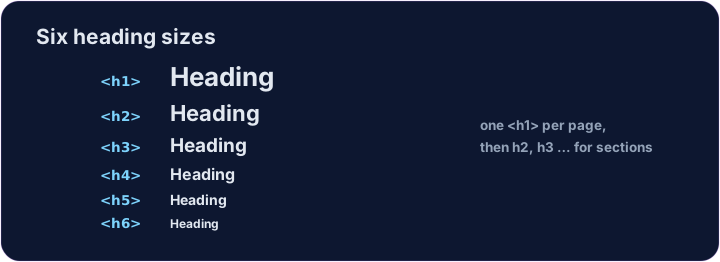
<h1>Biggest</h1>
<h2>Smaller</h2>
<h3>Smaller still</h3>
Common mistakes
- Headings run
<h1>(biggest) to<h6>— do not pick one just for its size. - A paragraph is
<p>...</p>.
Now you try
- A page is just headings and paragraphs stacked together.
- Build the two little tasks below.
Add a big heading that says My Blog. Use an <h1> … </h1> pair.
Make a heading About me, and under it a paragraph that says I love coding.