Links
Handout
This page needs a recent browser (with SharedArrayBuffer support). Please update Chrome, Edge, Firefox or Safari to the latest version.
Links
- A link takes you to another page when you click it.
- Use the
<a>tag (astands for anchor). - The web address goes in
href:<a href="...">.
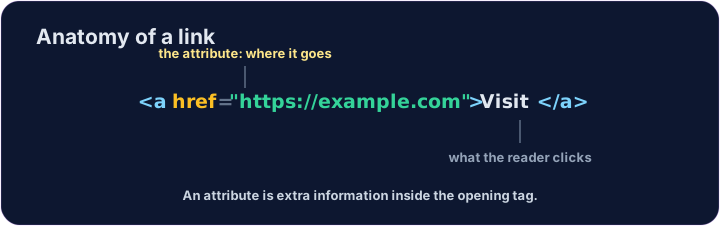
<a href="https://example.com">Visit Example</a>
href is an attribute
href="..."is an attribute — extra information inside the opening tag.- The text between
<a>and</a>is what the reader sees and clicks. - Use the full address, starting with
https://.
<p>Need facts? <a href="https://wikipedia.org">Look it up</a> now.</p>
Common mistakes
- A link needs an
href. - Open a link in a new tab with
target="_blank".
Now you try
- A link can stand alone, or sit inside a sentence.
- Build one of each below.
Add a link to https://example.com with the words Visit Example.
Turn the words look it up into a link to https://wikipedia.org, without breaking the sentence.